Monday, January 30, 2012

Digital Learning Day is February 1, 2012!

Are you looking for some quick and easy ways to celebrate Digital Learning Day with your students?  Check out the sites below to find new ideas or post a comment and tell us about an innovative project that you’re doing in your classroom.
  • Browse the teacher toolkits on the Digital Learning Day web site:Teacher Toolkits
  • If you need a polling or photo tool, you can visit this site and find a variety of tools organized by the type of task.Web Tools 4 U 2 Use
  • To read more about Digital Learning Day, follow this link. Digital Learning Day
Website of the Week:
Need an online time for your Promethean board? Here’s a nice vintage kitchen timer or would you prefer the egg timer? Check it out… Timerrr

Tip of the Week:
Just in time for Valentine’s Day....here's a new multi search tool from Google called, What Do You Love? Go to WDYL.com  and search for your favorite football team or puppy dog. Then, click the heart button.

Monday, January 23, 2012

To Embed or Not Embed

Another Reason to Update ActivInspire

If you haven't already updated ActivInspire to the latest version, you will want to now. Besides the Equation Editor (Insert - Equation) and the ability to create self-paced assessments with your ActivExpressions, you can now embed Animoto videos, Google maps, flash programs, and more just as you are able to in blogs and websites. Before the latest update, we could only insert downloaded videos into a flipchart or link directly to them. And some of those great flash tools, like the Fruit Picker random name generator from ClassTools.net were only available from a link. There will be some embed codes that won't work well in Inspire, but those that do will add a bit of pizzazz to any flipchart.

Here's all you need to do:
1. First make sure you have the latest version of ActivInspire. The easiest way to check is to go to the Help menu at the top, then drop down to "Check for Updates". Install if necessary.
2. Go to your URL and copy the code you want to embed.
3. In ActivInspire, embed the html by going to Insert - Link - Embed HTML.
4. Once the video, map or other object appears on your page, you can re-size it just as you would any other object.

Click here to download a very short sample flipchart with examples, tips and information on where to find the embed code for Google maps, ClassTools, Animoto, and PhotoPeach. Then check out these 12 Ideas on How to Use Promethean's Embed Option.

What can you embed in a flipchart to enhance your curriculum?

Website of the Week: The Big Deal Book


Check out this valuable resource for schools and classrooms. You will find resources for 21st Century skills, "worth the surf" websites, information on grants, lesson plans, inexpensive materials, and more. You can sign up for their newsletter or visit the archive page to see past issues.


Tip of the Week: Save Time with Auto-Correct
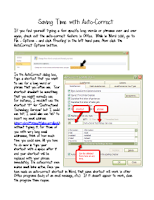

If there are long words or phrases that you find yourself typing over and over, you can save time by creating shortcuts for those words in Word. Then, when you type the shortcut, the long word or phrase will automatically be inserted in its place. This feature is found by going to File - Options - Proofing (on the left) - AutoCorrect Options (on the right). Once the shortcuts have been created in Word, they will work in other Office applications. Click the thumbnail for detailed directions and save yourself some time!

Monday, January 16, 2012

Pinterest Boards for Education

Pinterest in Education

You were introduced to Pinterest back in November 2011 when Jennifer Waldroop did an introductory post on "Pinning for Pinterest". Now it is time to start following educational boards on Pinterest. Each board offers resources for education. Choose boards as they relate to your field of study or interest. Here's a list of some great boards you may want to start following.


 My Favorite Boards to Follow
  • Commerce ISD: Click here to see their boards...so many resources (interactives, TEKS, apps, curriculum based on subject area, flipcharts, virtual field trips, and so many more)
  • iPad Apps for Education: Click here to follow this board from "Recess Duty"
  • iPad Resources: Click here to follow this board from Janet Corder
  • Promethean Resources: Click here to follow this board from Janet Corder
  • Promethean Resources for Elementary: Click here to follow this board from Tracy Worley
  • Technology Educational Blogs to follow: Click here to follow this board from Kristie Johnson (tons of web 2.0 resources found on these blogs...great place to get ideas for integrating technology in curriculum)
Website of the Week:
Learning in Hand.  If you are interested in implementing mobile learning then this website if for you. Tony Vincent is an independent consultant from Phoenix. His website is filled with information about iPads, iPods, iPod touch, netbooks, Podcasting, and much more. Check out his website for great resources. You can also follow Tony on Twitter (tonyvincent). He will tweet apps for education on a regular basis.  http://learninginhand.com/

Tip of the Week:
Agenda Calendar $.99...if you own an iPad, iPhone, or iPod you don't want to miss this app.
  • It syncs with your device to give you a much easier view of the events listed on your calendar. 
  • Download the app, click on it, and your calendars from your device appear. 
  • The first view is a list view of the days. 
  • Be sure to swipe the screen to the left for the day view...then swipe up or down to switch days. 
  • From the day view, if you swipe to the left again you will see the individual events listed. From that view you can email or copy event. 
  • Click here to download the app.

Monday, January 2, 2012

Yale and MIT are Within Your Reach

Education at Your Fingertips
Make a New Year's Resolution to attend Yale, MIT, or other institution of higher learning. All you need is an internet connection. Think you can't afford it? You can because all courses are FREE! Yale, MIT and other universities offer course materials to the public free of charge via the internet. Designed for self-directed and life-long learners, educators, and students, the courses span the full range of  most disciplines. Participants can download, redistribute and remix some course materials. The courses are simple to access and there is usually no enrollment or registration required.


Take a look around and see what you can learn in 2012!
Yale University
MIT
Notre Dame
Search all open courseware here
Open courseware consortium

Website of the Week
Edutopia is a great teacher resource and web site published by The George Lucas Educational Foundation. Check out Edutopia's top picks of 2011 and then sign up for their weekly newsletter.

Tip of the Week: Password Protect an Office 2010 document
It's a simple process to password protect and encrypt documents in the Office 2010 suite. The process is the same across the entire suite (Excel, PowerPoint, etc.). Here's how:
Click the File tab, then Click Info
On the menu to the right Click Protect Document and Click Encrypt with Password